riks
Members
-
Benutzer seit
-
Letzter Besuch
-
Hi, I don't see any examples how to extend callback listeners or create new ones. Just an example with no meaning in Java from the documentation. device.addExampleListener(new BrickletServoV2.ExampleListener() { public void property(int value) { System.out.println("Value: " + value); } }); For the servo there a 2 OOTB examples, but I want to create my own for getCurrentPosition or current used on the servo as example. How do I implement this properly ? Regards, Rik
-
Hi rtrbt, yes indeed. I totally forgot the PINOUT is different compared to older models. Works fine now with these mapping. I can see my bricklets. Thanks for your help ! Maybe you put a section in the Doc. I will not be the only one I suppose that runs a Raspberry Pi5 with a HAT and it is supported by Tinkerforge. Regards, Rik
-
Hi rtrbt, I have update firmware and daemon to this version. It connects but does not show me any bricklets. Same behaviour I had on my Pi4, so I added to the /etc/brickd.conf these mapping bricklet.group0.spidev = /dev/spidev0.0 bricklet.group0.cs0.driver = gpio bricklet.group0.cs0.name = gpio23 bricklet.group0.cs0.num = 23 bricklet.group0.cs1.driver = gpio bricklet.group0.cs1.name = gpio22 bricklet.group0.cs1.num = 22 bricklet.group0.cs2.driver = gpio bricklet.group0.cs2.name = gpio25 bricklet.group0.cs2.num = 25 bricklet.group0.cs3.driver = gpio bricklet.group0.cs3.name = gpio26 bricklet.group0.cs3.num = 26 bricklet.group0.cs4.driver = gpio bricklet.group0.cs4.name = gpio27 bricklet.group0.cs4.num = 27 bricklet.group0.cs5.driver = gpio bricklet.group0.cs5.name = gpio24 bricklet.group0.cs5.num = 24 bricklet.group0.cs6.driver = gpio bricklet.group0.cs6.name = gpio7 bricklet.group0.cs6.num = 7 bricklet.group0.cs7.driver = gpio bricklet.group0.cs7.name = gpio6 bricklet.group0.cs7.num = 6 bricklet.group0.cs8.driver = gpio bricklet.group0.cs8.name = gpio5 bricklet.group0.cs8.num = 5 After a reboot I get this in the /var/log/brickd.log and deamon is shutting down. 2024-01-18 10:56:42.884905 <I> <bricklet_stack_linux.c:87> Using spidev backend for Bricklets (unsupported suffix 5 after 'Raspberry Pi' in /proc/device-tree/model) 2024-01-18 10:56:42.884981 <E> <gpio_sysfs.c:77> Could not write to '/sys/class/gpio/export' to export GPIO 22: EINVAL (22) 2024-01-18 10:56:42.884988 <E> <bricklet_stack_linux_spidev.c:78> Could not export gpio22: EINVAL (22) Any idea's ? Regards, Rik
-
Does anyone tried to put the Hat on a Raspberry Pi working ? I get this error in the /var/log/brickd.log 2024-01-16 18:06:36.731765 <I> <main_linux.c:375> Running on Linux system (sysname: Linux, release: 6.1.0-rpi6-rpi-2712, version: #1 SMP PREEMPT Debian 1:6.1.58-1+rpt2 (2023-10-27), machine: aarch64) libusb: warning [libusb_init] installing new context as implicit default 2024-01-16 18:06:36.735775 <I> <bricklet.c:521> Using bricklet.* section in config file 2024-01-16 18:06:36.735783 <I> <bricklet.c:530> Found Bricklet port A (spidev: /dev/spidev0.0, driver: gpio, name: gpio23, num: 23) 2024-01-16 18:06:36.735835 <I> <bricklet_stack_linux.c:129> Using BCM2835 backend for Bricklets (Raspberry Pi detected) 2024-01-16 18:06:36.735855 <E> <vcgencmd.c:185> Could not open /dev/vchiq for writing: ENOENT (2) 2024-01-16 18:06:36.735858 <E> <bricklet_stack_linux_bcm2835.c:65> Could not read Raspberry Pi core_freq config
-
Thanks Photron, you are the best 😀. Press key to exit Found tag of type 2 with ID [0x04 0x66 0xD7 0xE2 0x1D 0x70 0x80] Found tag of type 2 with ID [0x04 0x6B 0x4C 0x22 0xBC 0x73 0x81] Found tag of type 0 with ID [0xAD 0x19 0xBE 0x49] Regards, Rik
-
Hello guys, I am trying out the standard java example of ExampleScanForTags. It scans a lot every second. Actually I just need when the ID changes and not if not. Is there some code that does that ? Same way as the brick viewer shows it. Only when it changes. Regards, Rik
-
Yes...thank you very much. Regards, Rik
-
This link is dead. https://download.tinkerforge.com/3d/TBD/TBD.step Does someone download this before and is willing to share ? Regards, Rik
-
Hi Seismic, thanks for the info. Good to know. Cheers, Rik
-
Hi there, Is there any documentation how to connect those two ? On the Silent stepper I got 4 cables and on the servo 3 cables. Which goes where from to where ? Any help appreciated. Regards, Rik
-
Hi, I am trying to set the min/max memory my java program can use on the red brick. There is not a lot of information provided how to set it. I specified JVM Options: -Xms 64M -Xmx128M Invalid initial heap size: -Xms 64M -Xmx128M Error: Could not create the Java Virtual Machine. Error: A fatal exception has occurred. Program will exit. What should be the right syntax for this ? Thanks, Rik
-
Moin, ich habe nur einen Master Brick und 4 Sachen verbunden. Das musste doch eigelich gehen. Wieviel braucht einen normalen Java program um die Sensoren met 1Hz aus zu lesen ? Mein setup ist : Master brick 2.1 Segment Display 4 x 7 Bricklet Motion Detector Bricklet Ambient Light Bricklet 2.0 Temperature Bricklet MfG, Rik
-
Ist auch mehr fuer den Staff hier ob dss normal ist 😀 TinkerTeam ist das einen bekanntes Problem oder neu ?
-
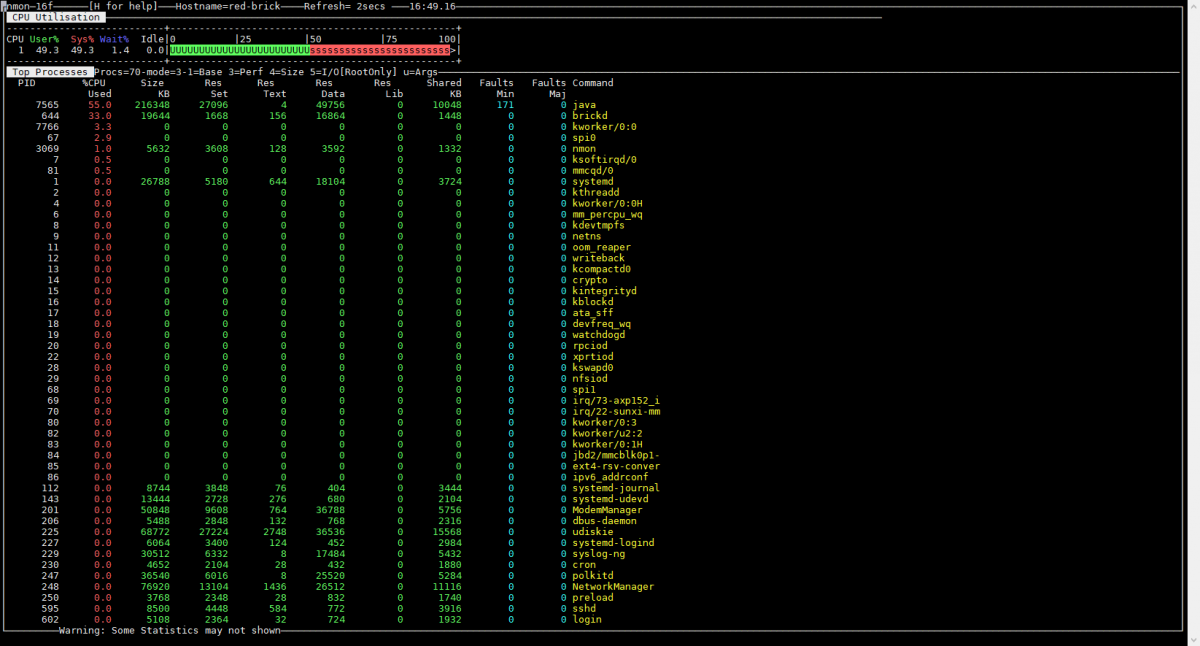
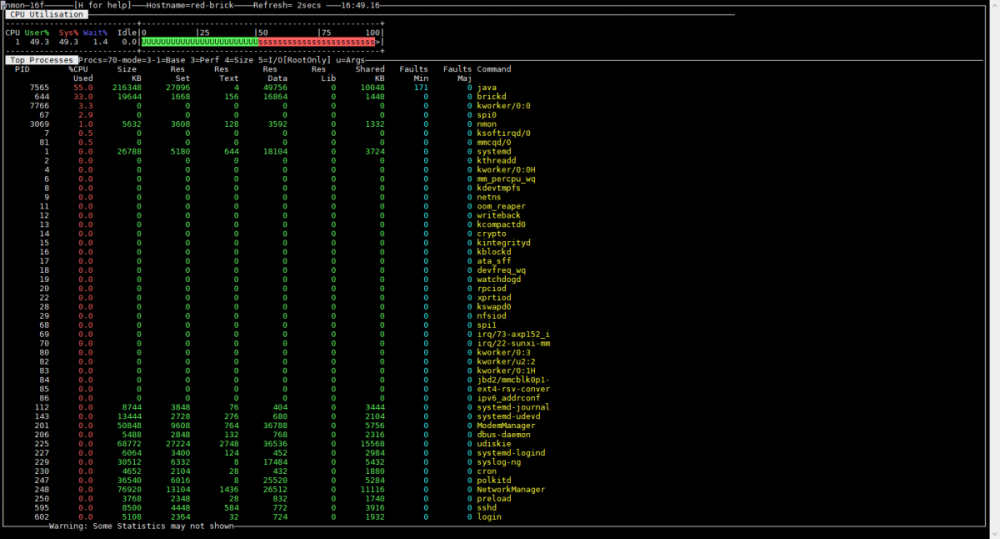
Ich habe 1.15 auf den Red Brick und ich habe das gleiche. Wenn ich dann auch das Java program laufen lasse dan ist CPU 100% und wird fast nicht mehr idle. Ist ueber 30% Last fuer den brickd normal ? Und die CPU freq ist maximal Every 1.0s: cat /sys/devices/system/cpu/cpu0/cpufreq/cpuinfo_cur_freq red-brick: Thu Mar 26 16:58:26 2020 1008000
-
Es wunscht sich so gerne einen neuen(siehe attachment)